The whole product, on one page
Eleven modules and about ninety capabilities. Read the cards for the shape of it, or skip to the checklist at the bottom and scan for the thing you need.
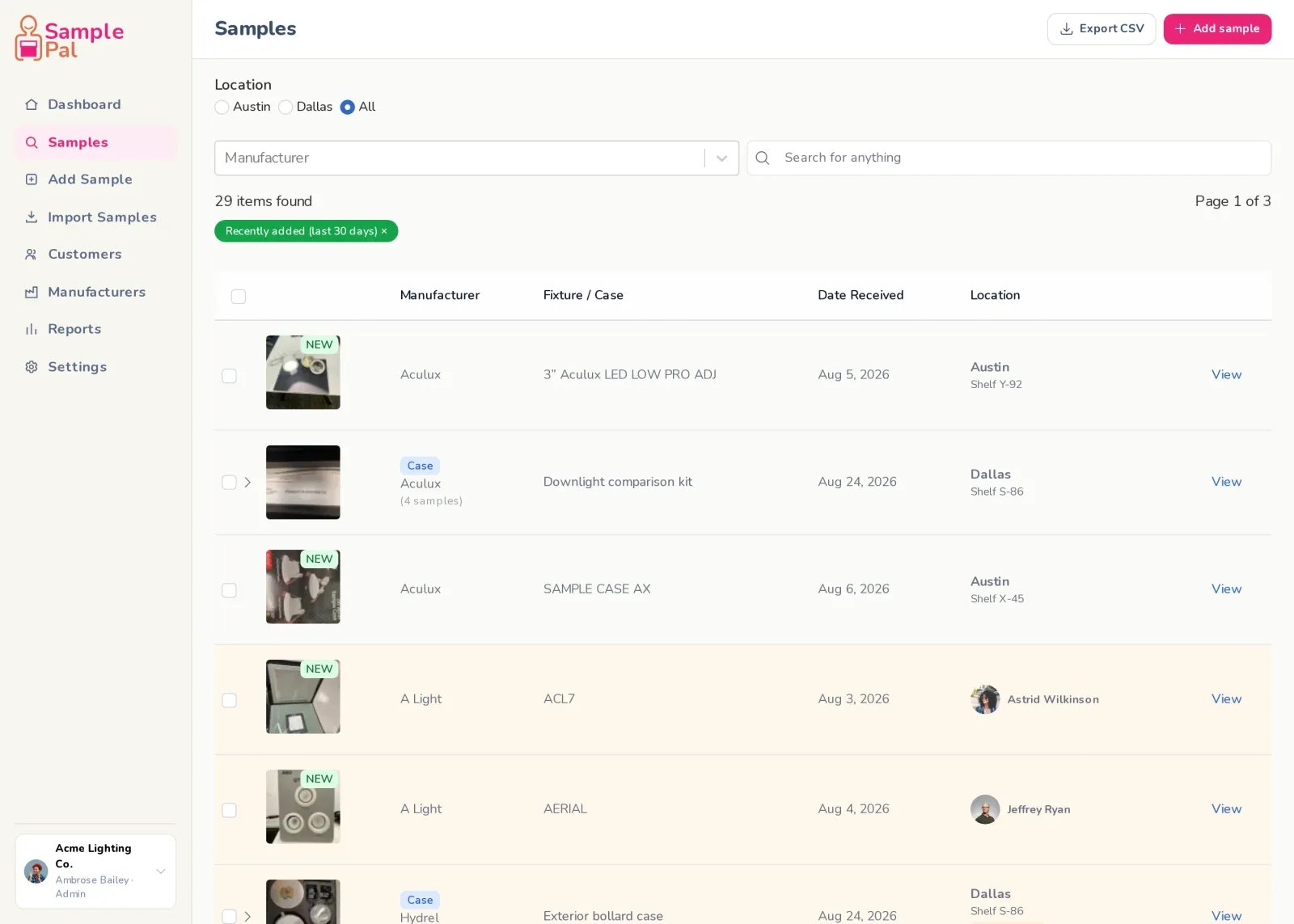
Sample library
Every fixture you own, findable in seconds.
- Filter by location, shelf, manufacturer or name
- Search explains why each result matched
- Recently added filter and “new” badges
- Your filters, page and scroll position survive going back
- Archive instead of delete, so history is never lost
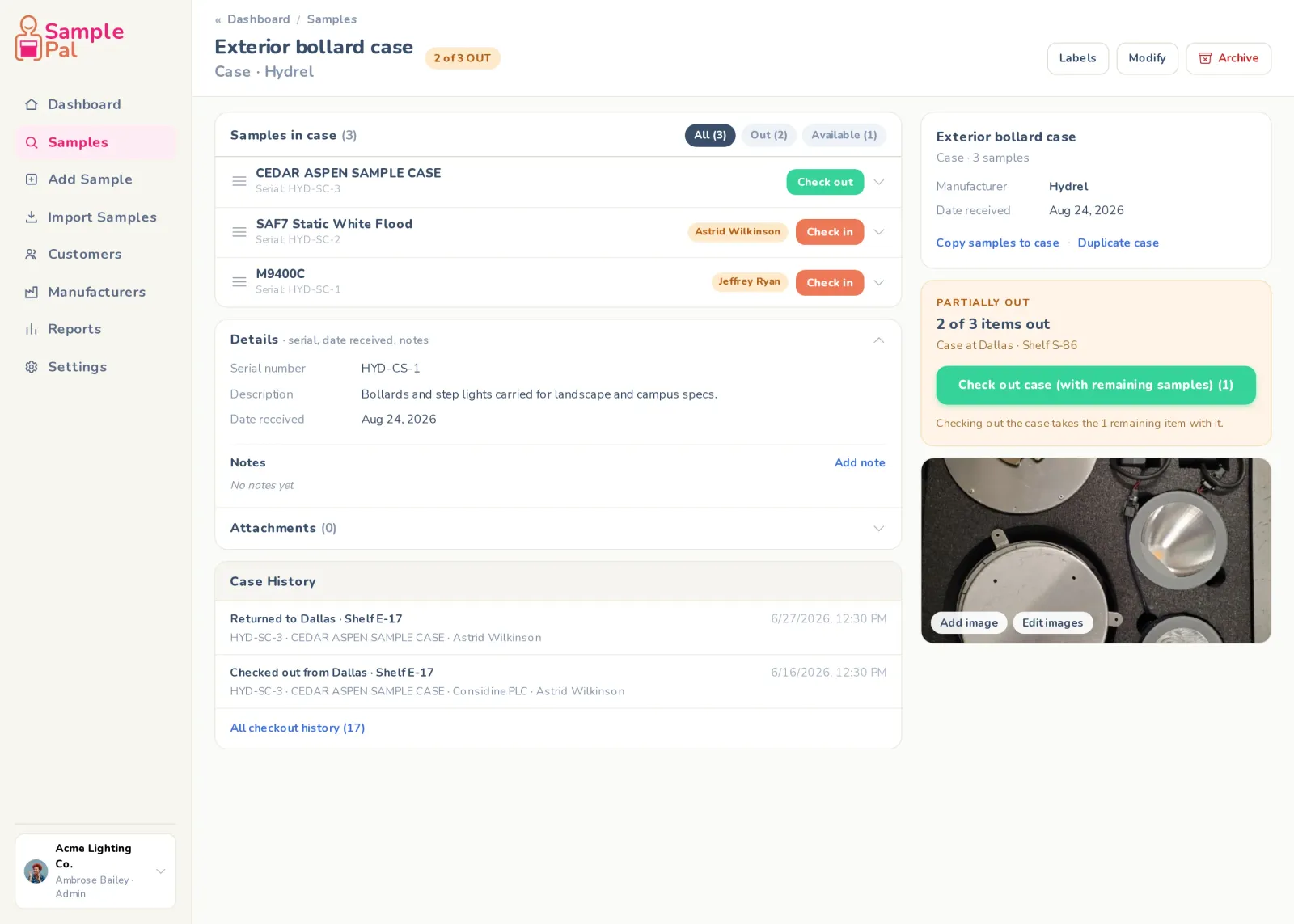
Cases and cased samples
Sample bags and kits, modelled the way you actually use them.
- Check out one fixture from a case, not the whole case
- Return an item to a case that is still out
- A sample that lives in its own case reads as one sample
- Duplicate a case, copy samples in, drag to reorder
- Convert a sample to a case and keep the printed label valid
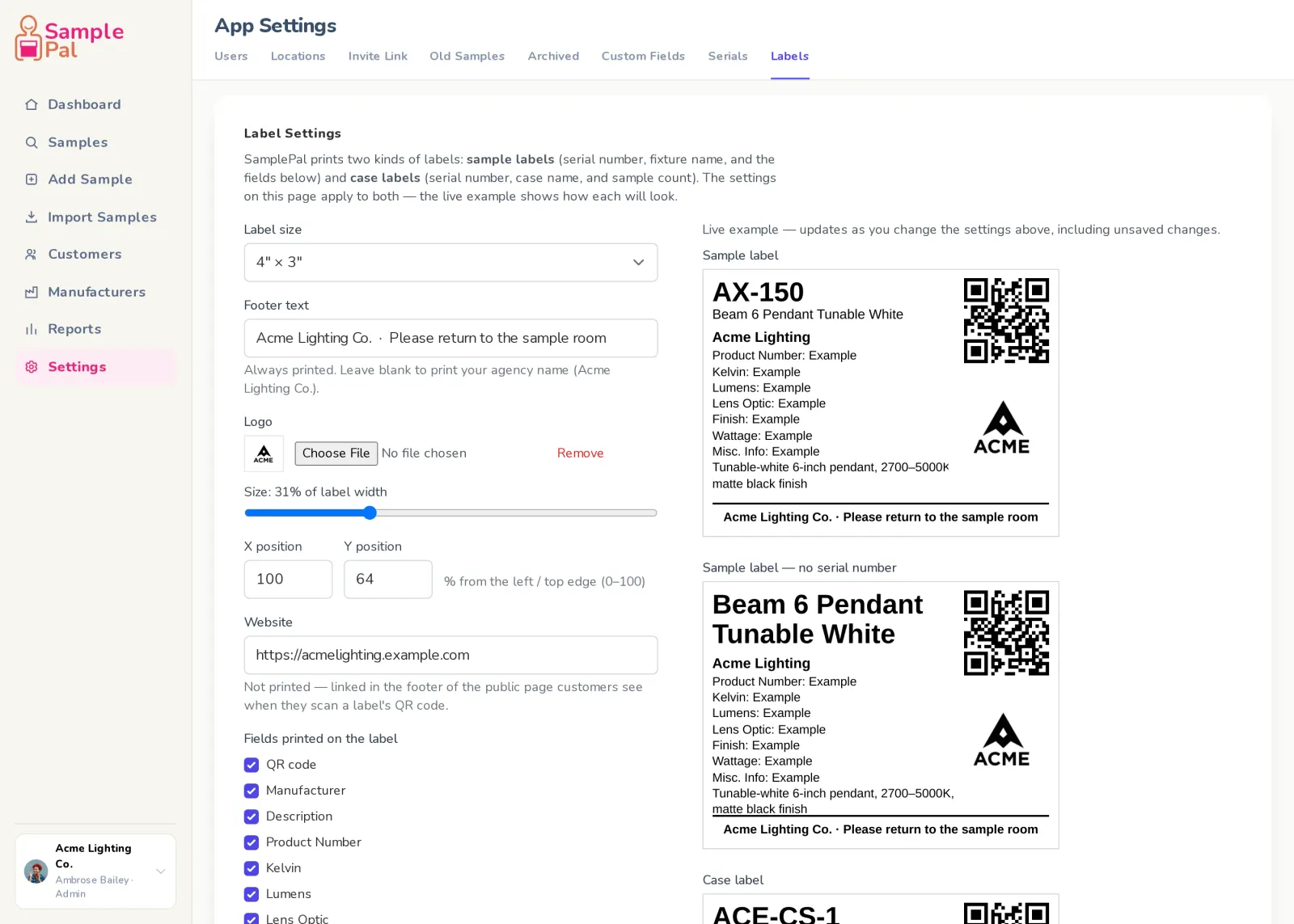
Labels and QR codes
A customer scans the sample and reaches their rep in one tap.
- Customers scan the code and reach the rep who left it, in one tap
- No login for them, and never your serials or shelf locations
- Five label sizes, from 4×6 down to 2.25×1.25
- Upload your logo and place it exactly
- Choose which fields print, including your custom ones
- Print a batch as a sheet
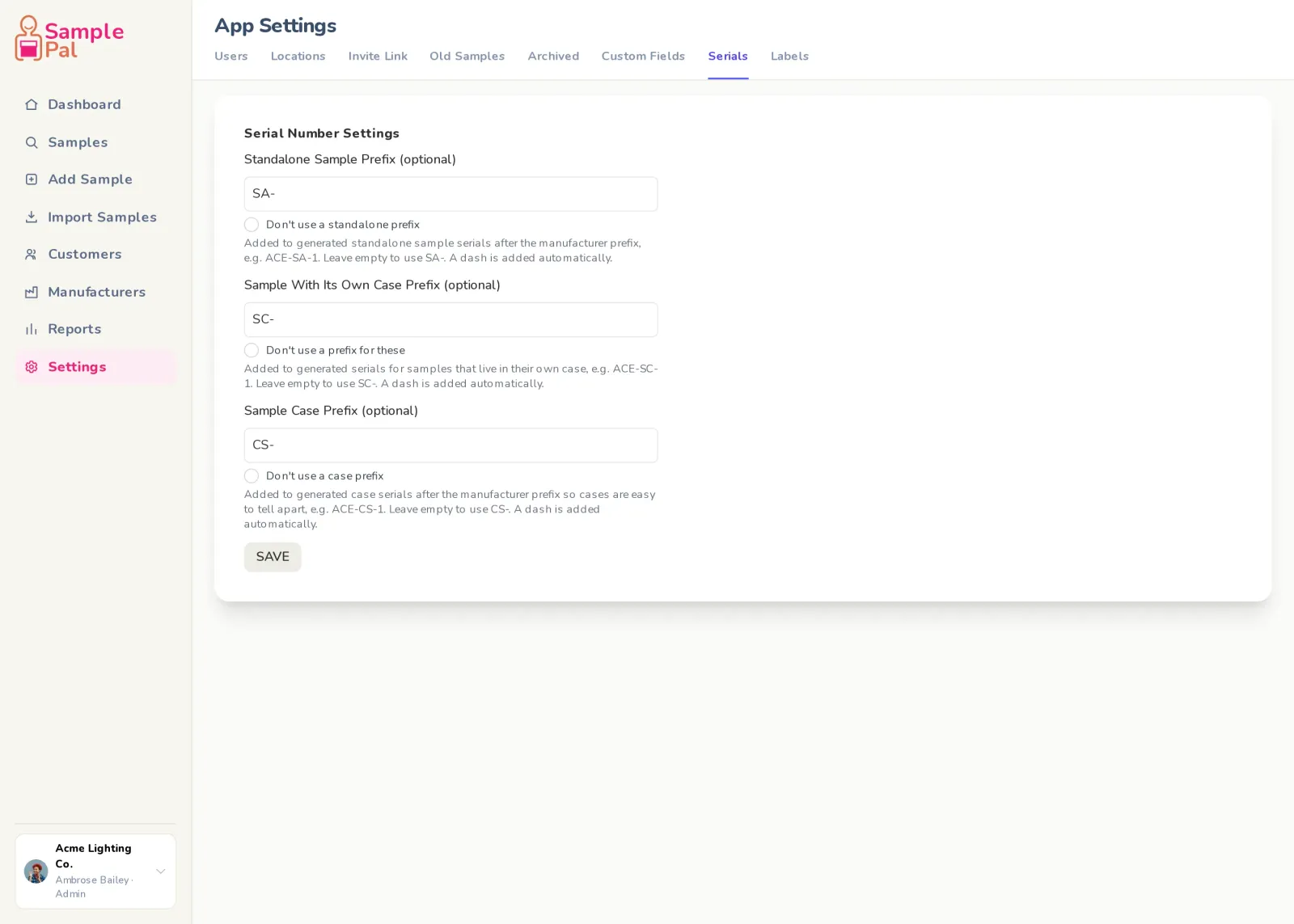
Serial numbers
Numbered the way your agency numbers things.
- One click gives you the next serial for that manufacturer
- Separate prefixes for samples, cased samples and cases
- Set a prefix without leaving the form you are filling in
- Samples inside a case number off the case’s serial
- Restoring an archived item cannot reuse a serial someone took
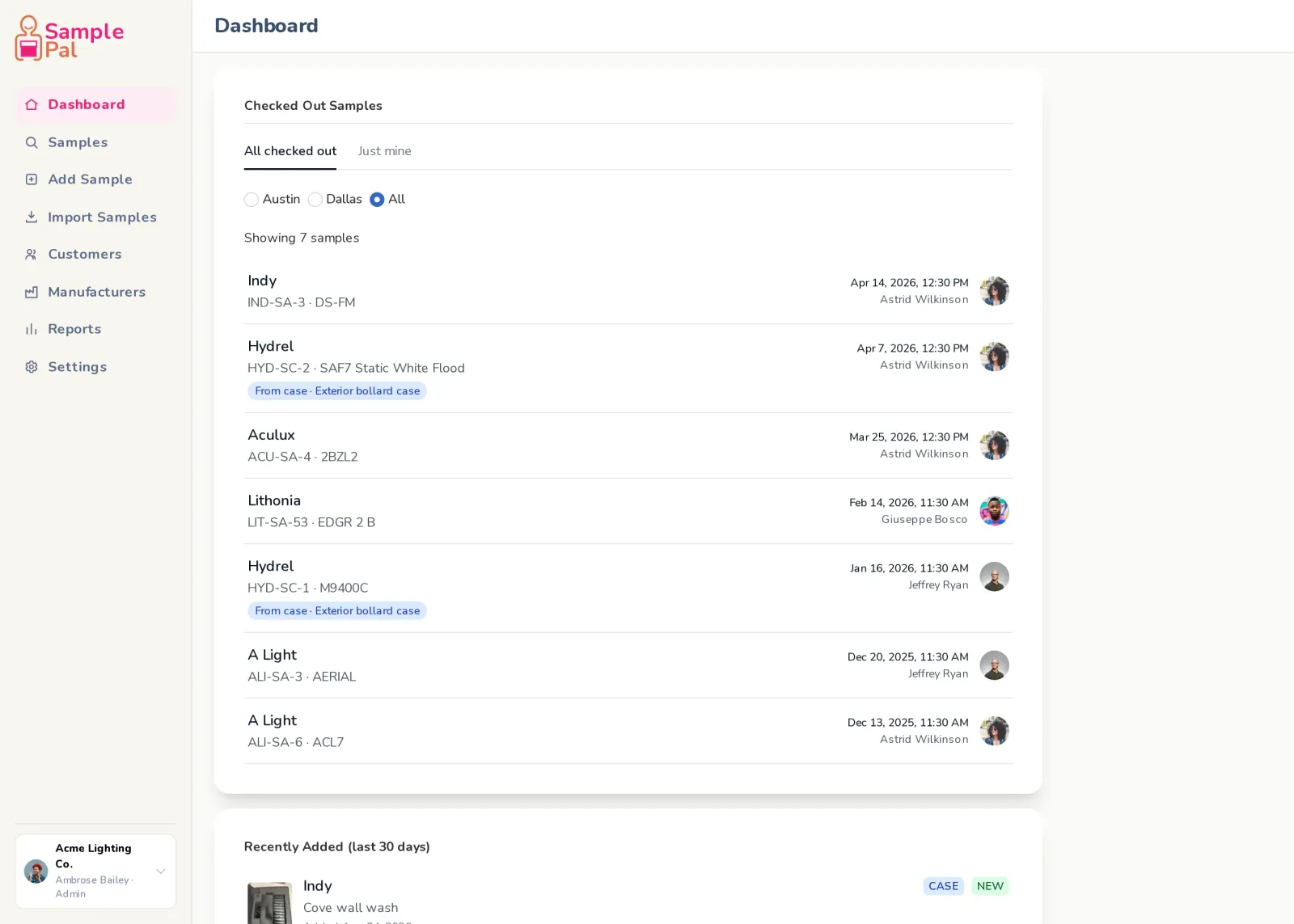
Check-in and check-out
From the shelf, on a phone, in a few taps.
- Check out to a named customer
- Whoever returns it picks the shelf it goes back to
- Transfer between reps without a round trip to the office
- Fix a stuck checkout, or correct the customer after the fact
- Mark items lost, or returned to the manufacturer
- Attach a note to any of it
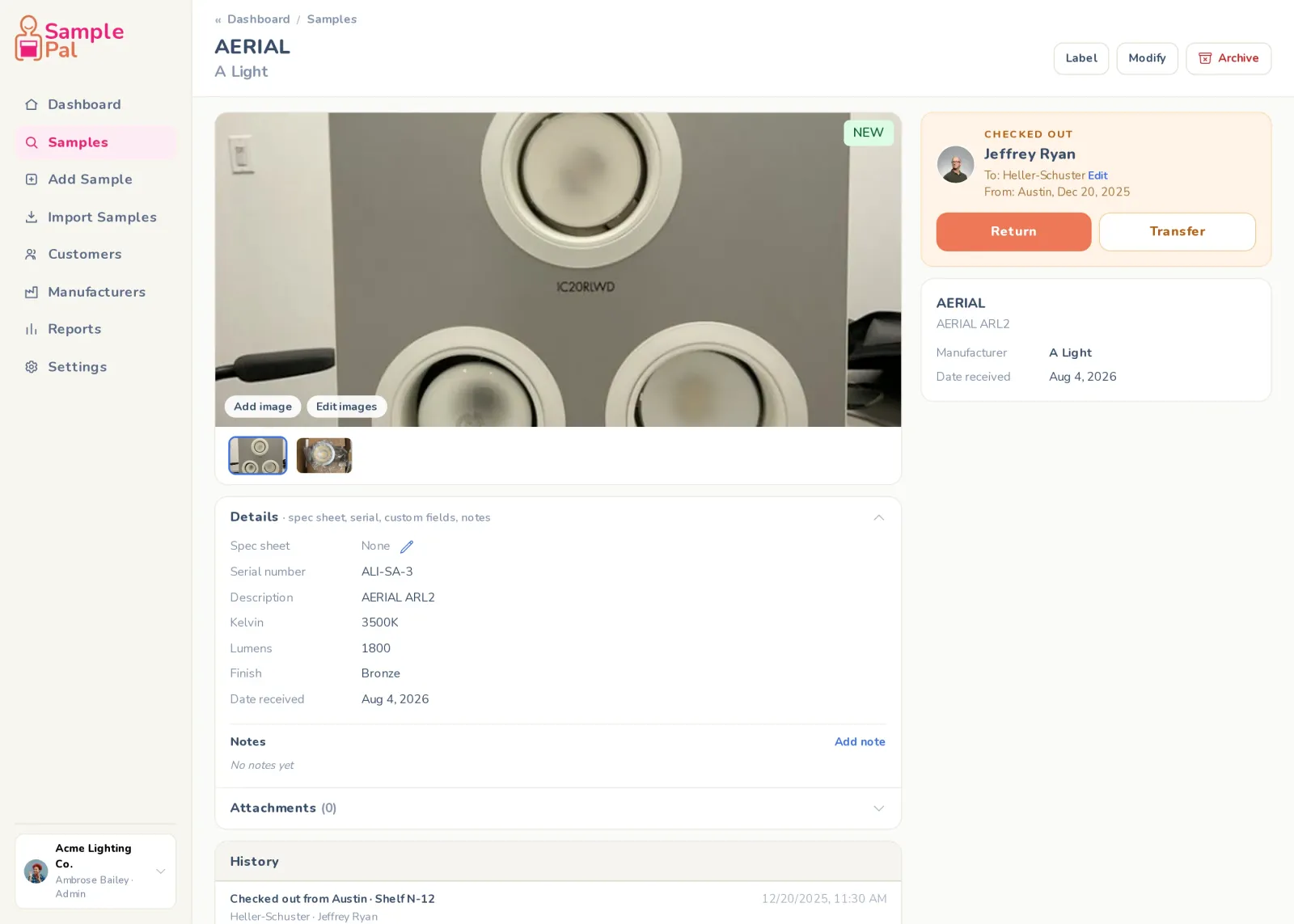
Photos and attachments
Identify a fixture without walking to the stock room.
- As many photos as you need, taken on a phone
- Full-screen viewer and a gallery on every item
- Spec sheets and files: PDF, Word, Excel, images, CSV
- Link out to a manufacturer’s page
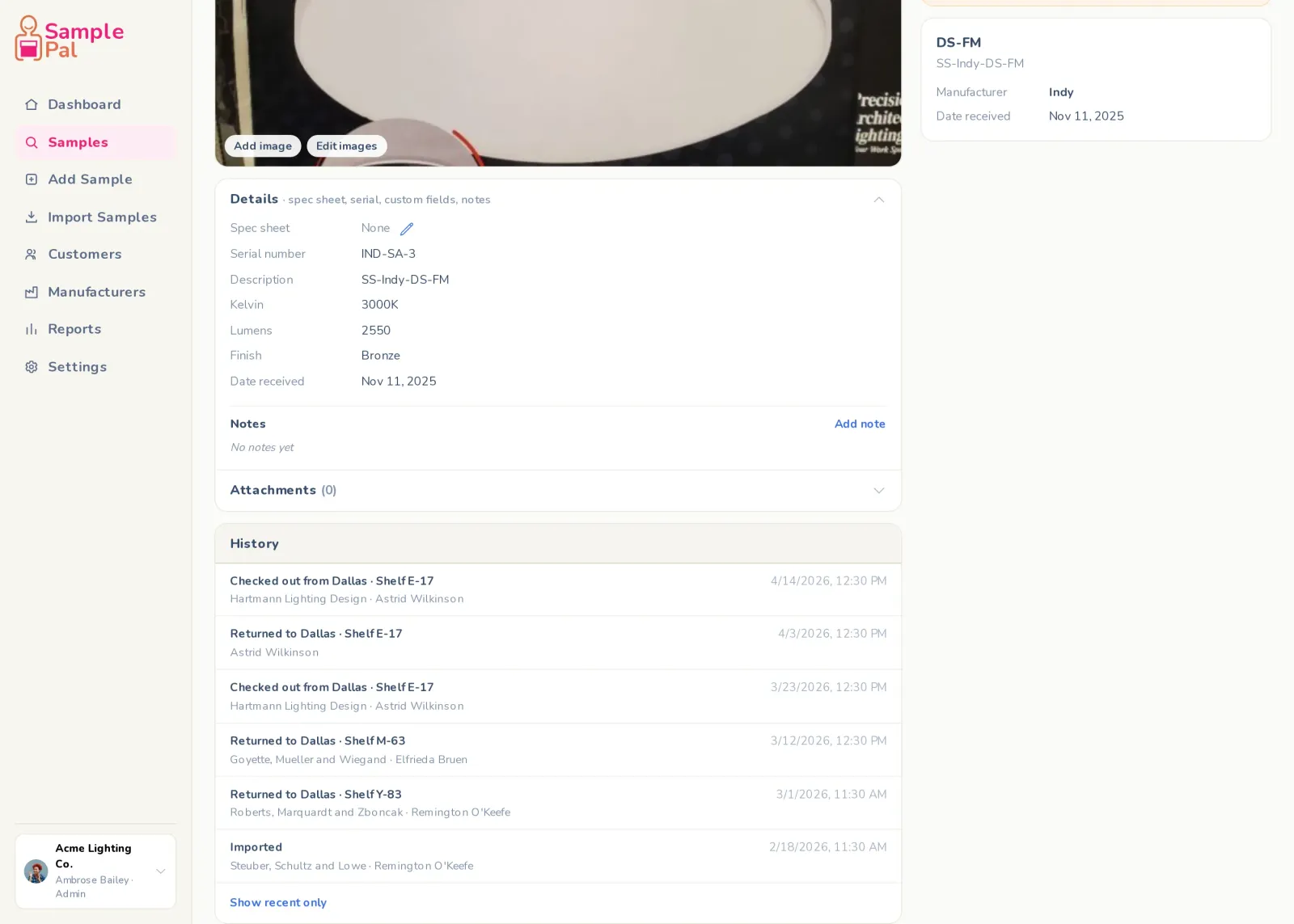
History
Every change, every checkout, every note, kept.
- A complete record of who had it and when
- Field-level change history, not just check-ins and check-outs
- Checkout history kept separate from everything else
- Rows name the shelf, not just the location
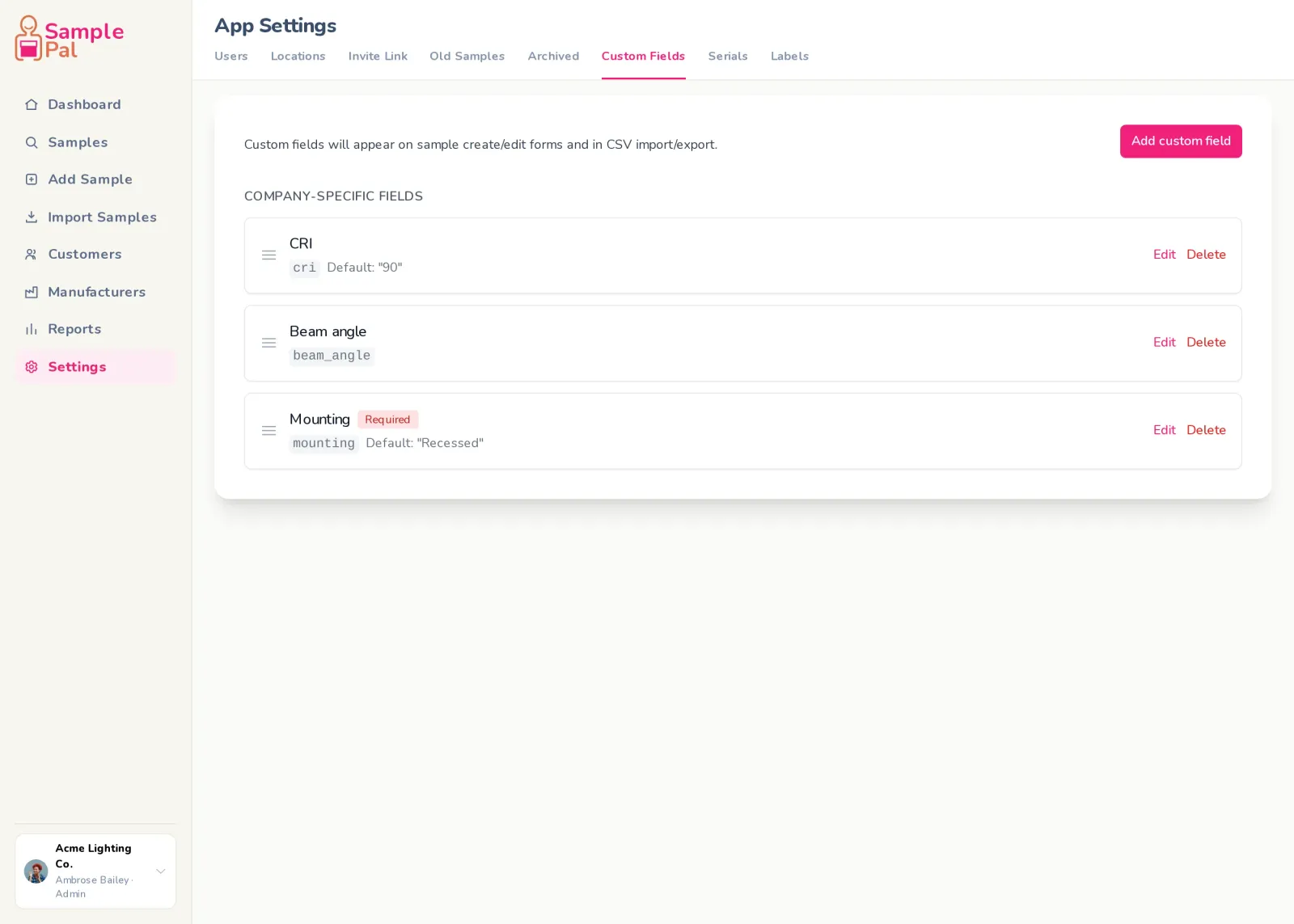
Custom fields
Track what your agency tracks: lumens, Kelvin, finish, CRI, anything.
- Define your own fields, labels and defaults
- Mark a field required, and set the order they appear in
- They flow into the form, the label and the public page
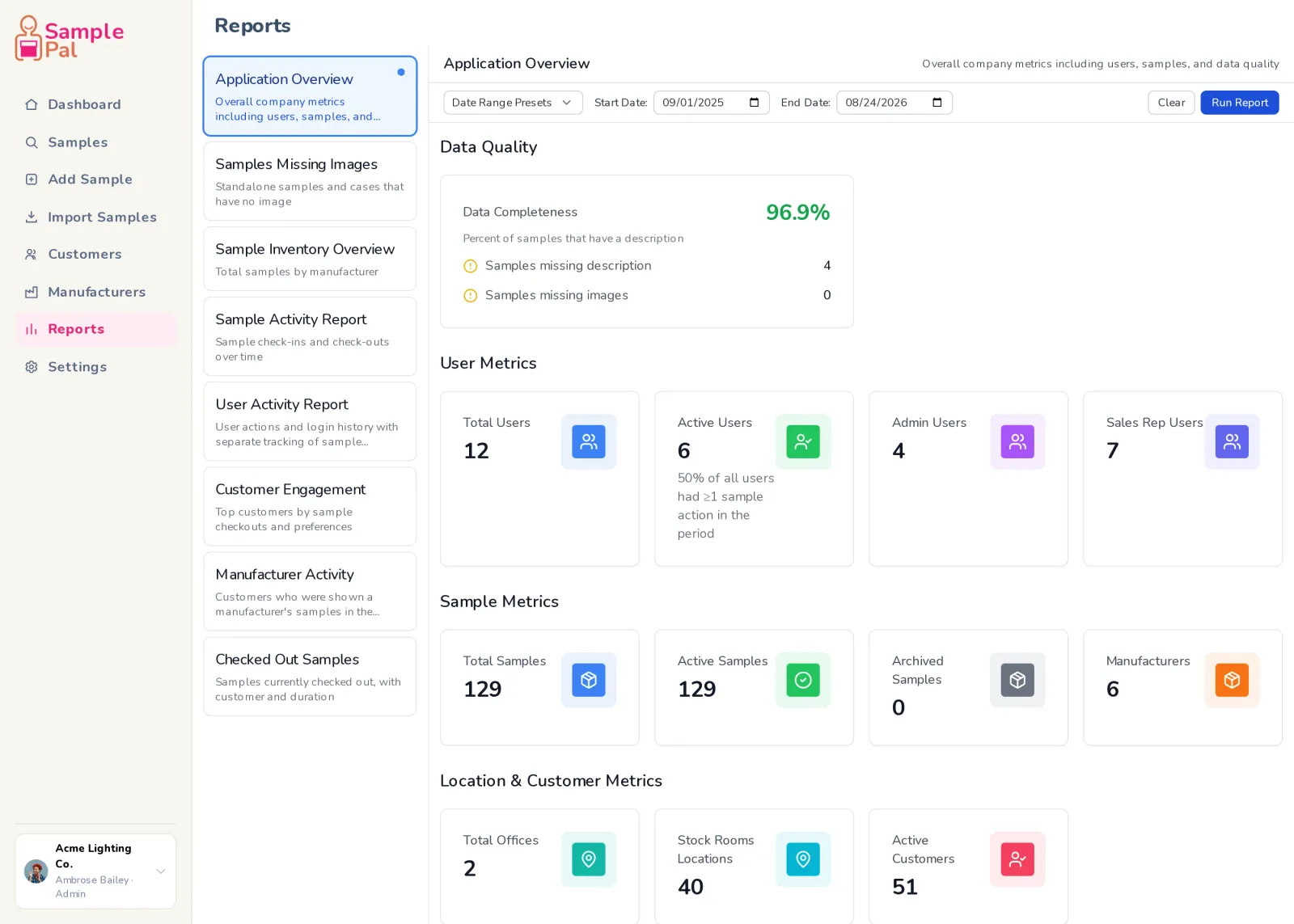
Reports
Eight of them, table or dashboard.
- Application overview · Sample activity · User activity
- Customer engagement · Manufacturer activity
- Inventory overview · Checked-out samples · Missing images
- Filter by date range, location, user or manufacturer
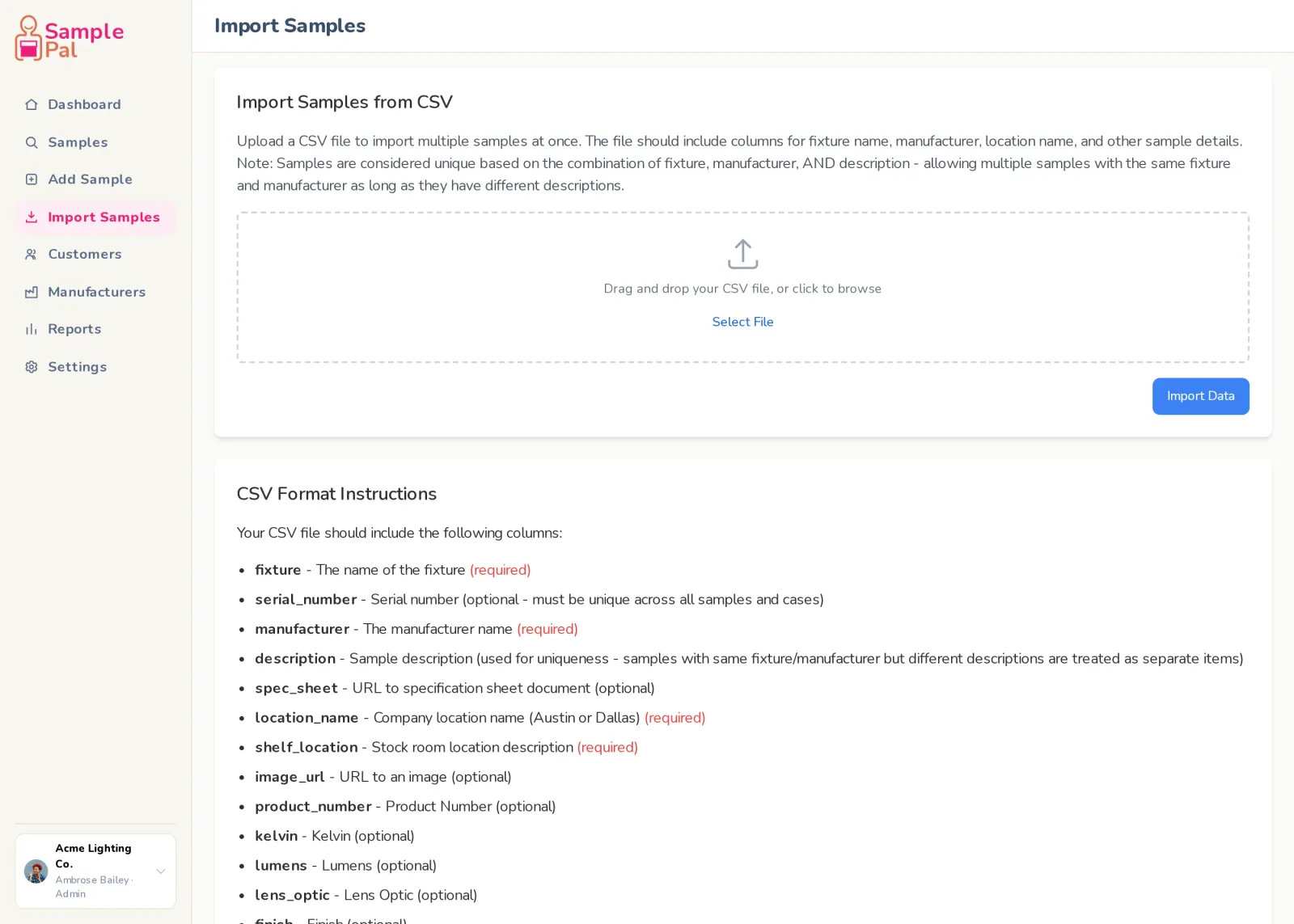
Import and export
Get your spreadsheet in, and your data back out.
- CSV import for samples and for customers, with templates
- Preview every row before anything is written
- Re-uploading matches what is already there instead of duplicating
- Export the whole inventory, or just the filtered set
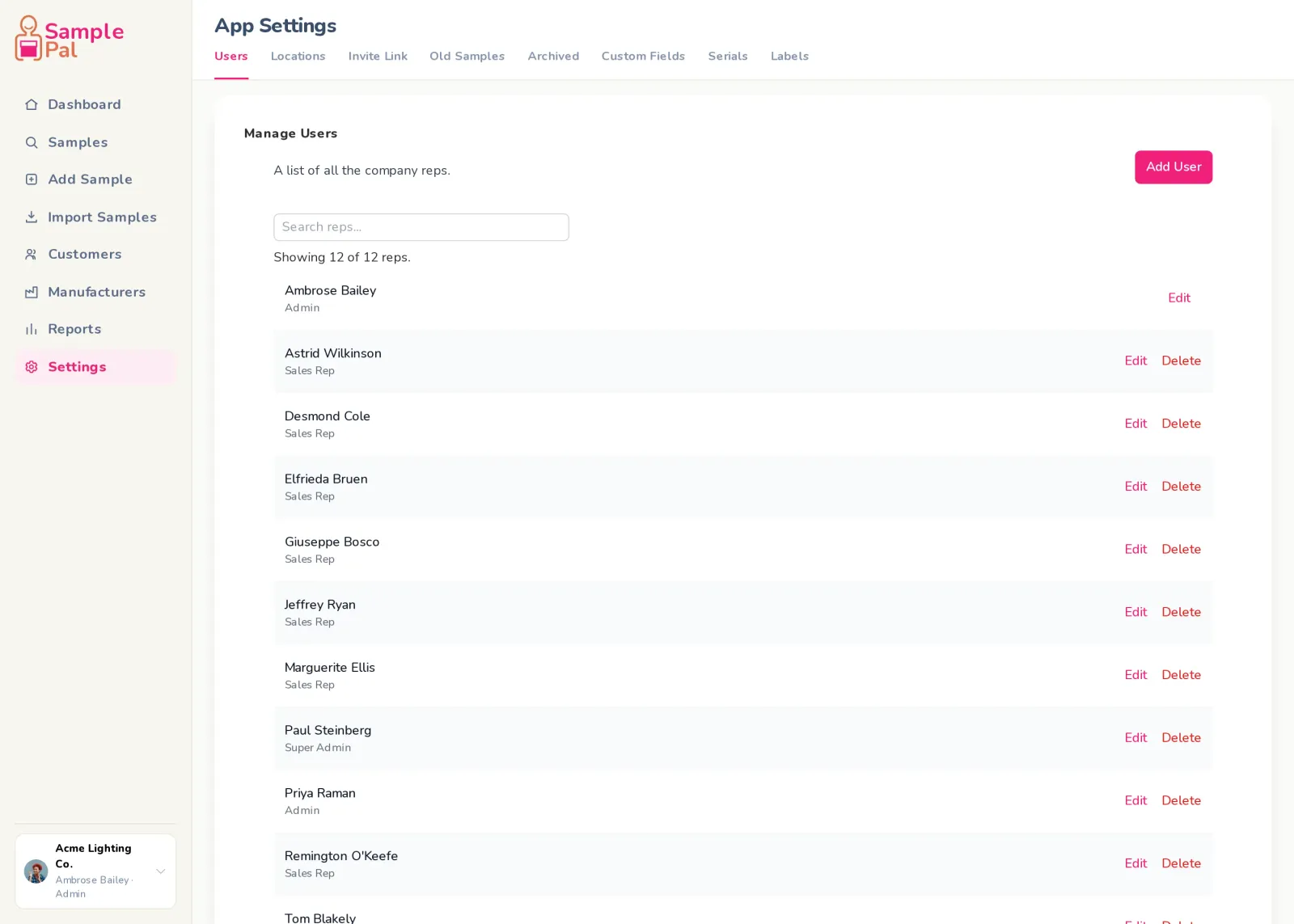
Your team
The whole agency, on one account.
- Everyone on one account: inside staff, outside reps and the coordinator
- Admins and sales reps, with an invite link to get people on
- Hand out billing access on its own, to whoever should have it
- Your data is yours. No other agency can see any of it
- A full activity log of who did what
Everything included
Every line below is in the product today, at every size. If what you need isn't here, ask us on the demo. We'd rather tell you no than sell you a maybe.
Sample library
- Filter by location, shelf, manufacturer, name
- Search with match explanations
- Recently added filter and “new” badges
- Sortable columns, choose rows per page
- Bulk archive
- Filters, page and scroll restored on back
- Archived section with its own columns
Cases and cased samples
- Individually checkoutable sub-items
- Return an item to a case that is out
- Rows show where an out-of-case item actually is
- Cased samples: a case of one, shown as one
- Duplicate a case
- Copy existing samples into a case
- Drag to reorder within a case
- Convert case to sample and back
Labels and QR codes
- Five label sizes
- Logo upload with exact placement
- Custom footer text
- Choose which fields print
- Live label preview in settings
- Layout that adapts when there is no serial
- Batch print sheets
- QR to a public page with the rep’s contact details
- Preview of the public page before you print
- Scan while logged in and land on the item
Serial numbers
- Auto-generated serials per manufacturer
- Separate prefixes per item type
- Inline prefix setup on the form
- Case children number off the case
- Zero-padding preserved
- Collision-safe when restoring from the archive
Check-in and check-out
- Check out to a named customer
- Returner picks the shelf
- Transfer between reps
- Resolve a stuck checkout
- Edit the customer on an existing checkout
- Mark lost or returned to manufacturer
- Notes on any action
- Per-case-item checkout
Photos and attachments
- As many photos as you need
- Full-screen viewer and gallery
- Edit and delete photos
- File attachments up to 10 MB
- PDF, Word, Excel, CSV, text, images
- Link attachments
- Spec sheet URLs
History
- Field-level change history
- Checkout history kept separate from the rest
- History names the shelf, not just the location
- Archive and unarchive recorded
- Photo and attachment changes recorded
- Conversions between sample and case recorded
Custom fields
- Company-defined fields
- Your own labels and default values
- Required fields
- Control the order they appear in
- Flow through to the printed label
- Flow through to the public QR page
Reports
- Application overview
- Sample inventory overview
- Sample activity
- User activity
- Customer engagement
- Manufacturer activity
- Checked-out samples
- Samples missing images
- Filter by date range, location, user, manufacturer
- Table or dashboard view
- Export any report to CSV
Import and export
- CSV import for samples
- CSV import for customers
- Downloadable templates
- Preview before anything is written
- Case-insensitive matching so re-uploads do not duplicate
- Results summary after every import
- CSV export, filtered or whole
Your team
- Admin and sales rep roles
- Billing access granted separately
- Invite link
- Multiple locations and shelves
- Manufacturer list with an A to Z jump bar and enforced unique names
- Customer records, assigned to reps
- Activity log
- Works on phone, tablet and desktop
Still not sure it does the thing you need?
Ask us directly. Twenty minutes, your stock room, straight answers.